AI assistant everywhere
from the Yes Foreman platform
The chat panel can move jobs, draft emails and chase invoices. Middle-management energy, minus the meetings and the biscuits.
- jobs moved03
- emails drafted02
- invoices nudged04
AI assistant everywhere in Foreman: how it works
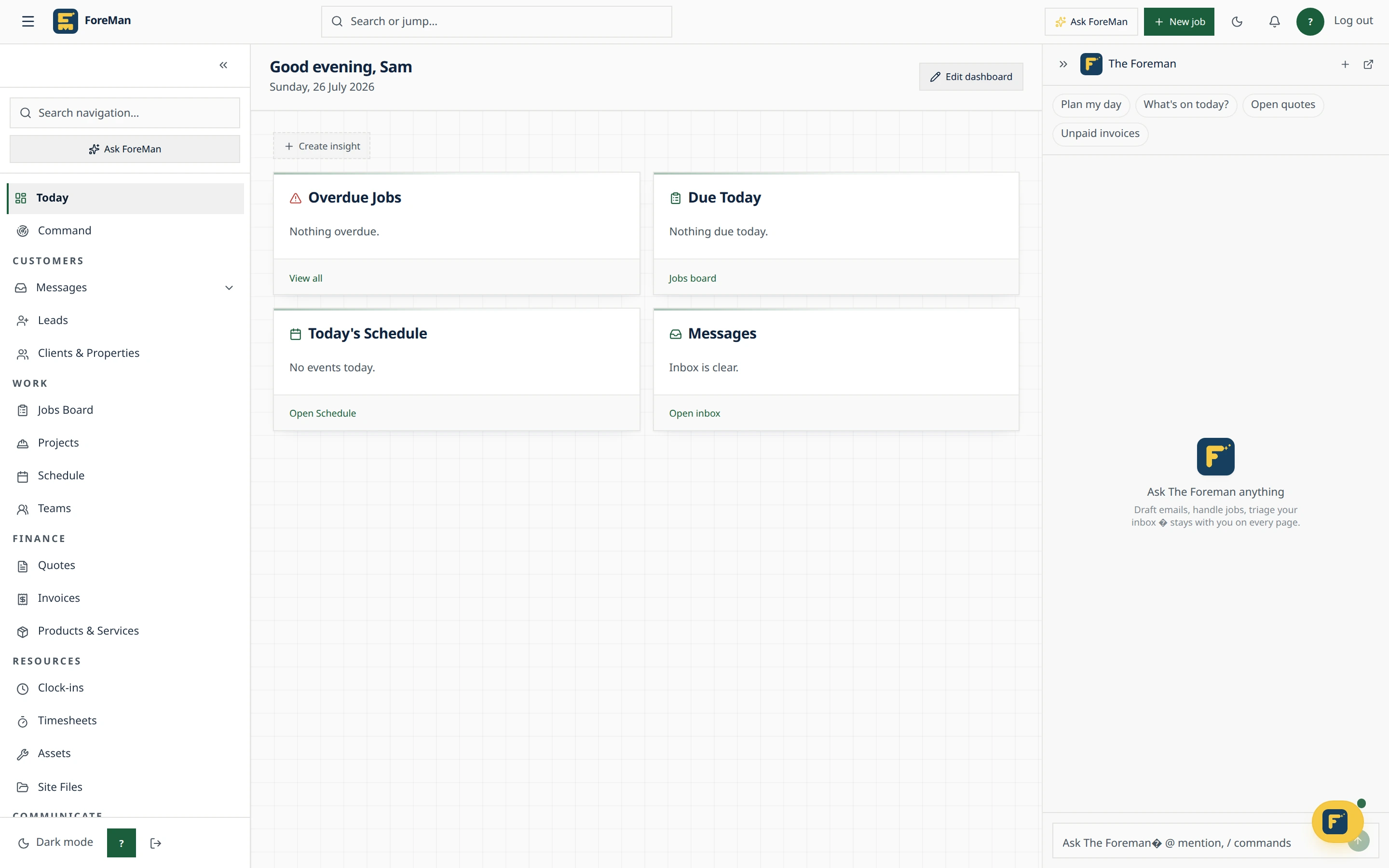
Foreman has an assistant on every page that understands your business: your jobs, clients, quotes and invoices. Ask it something, or ask it to do something, and it shows the steps it took so you can check the result.
Step 1
Open Ask Foreman
Select the Ask Foreman rail on the right of any page. Suggestion cards match the page you're on, such as crews, jobs, quotes or invoices.
Step 2
Point it at the right record
Type @ to pick a client or / for commands. Ask for a draft or proposed changes when you want to review something before anything is saved.
Step 3
Follow the work
Open Steps to see each tool the assistant used and what it returned: Working, Done, or Check result if something failed.
Step 4
Ask how to use Foreman
Ask a how-to question and the assistant answers from the current help articles, with a relevant screenshot when there is one.
AI assistant everywhere: common questions
Can I stop it mid-answer?
Yes. The send button becomes Stop response while it works. An action already under way may still complete, so check the record before trying again.
Are my conversations saved?
Yes, in History, scoped to your login and workspace. Deleting a conversation doesn't undo actions or delete business records.
Does it work on mobile?
Yes. Ask Foreman is available in the mobile app too, so you can run work from the job.
Stop losing time to paperwork
Start a free trial · 14 days, unlimited members, every feature including AI, cancel any time.