Quotes in minutes
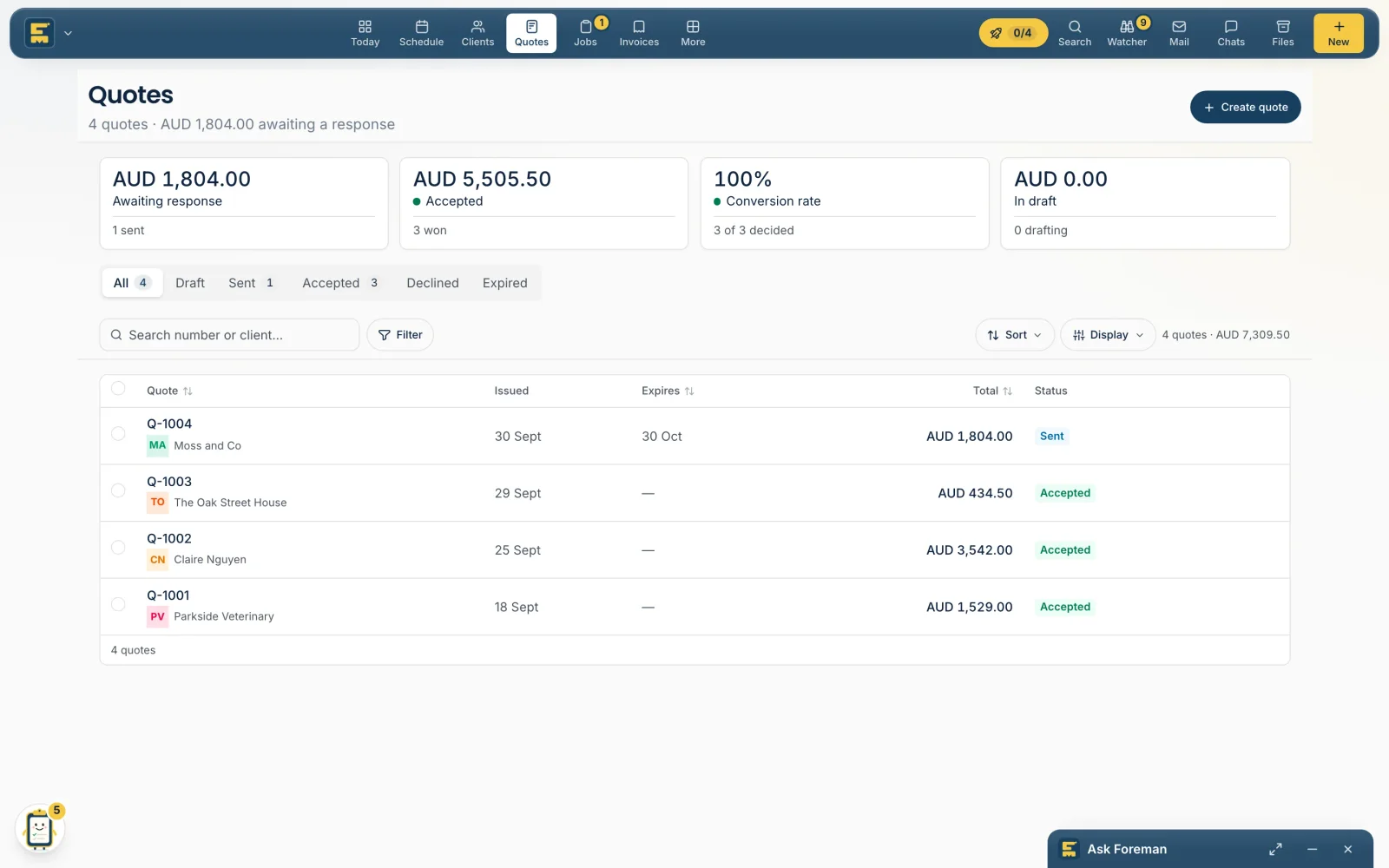
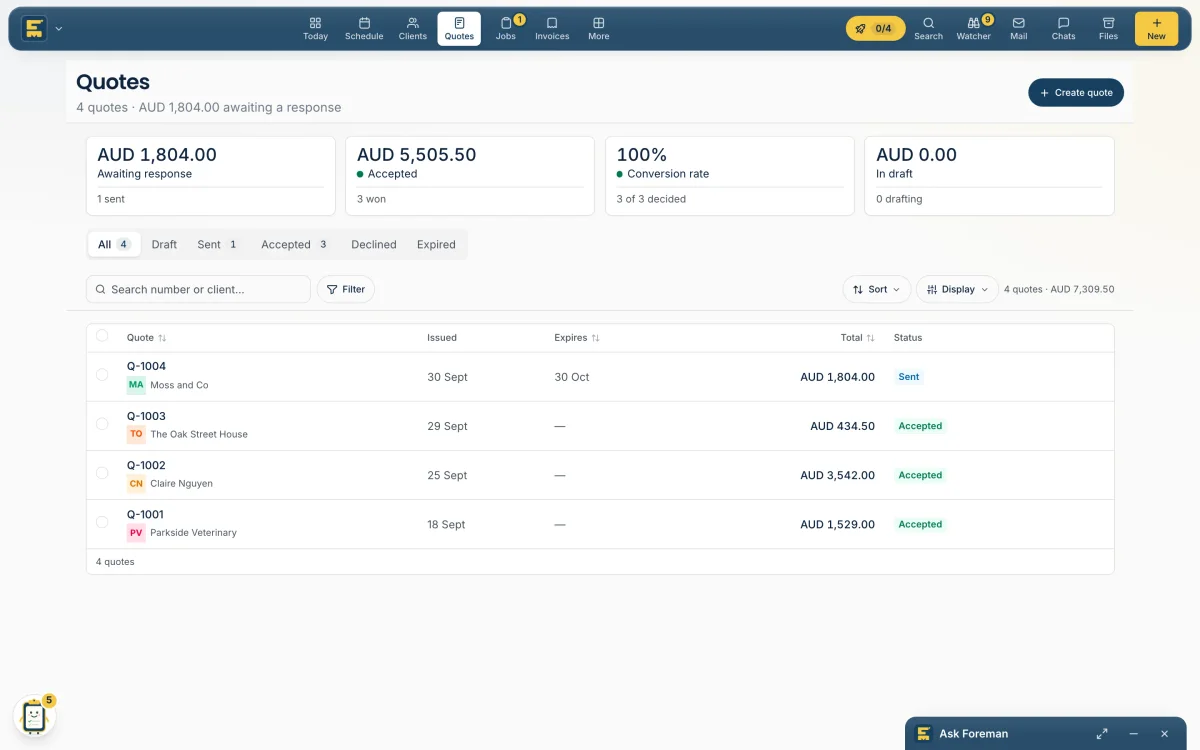
An enquiry, a few photos or a voice note in; an itemised quote out, priced from your own list. Totals and tax are worked out by code, not guessed.
Foreman's beta is open. 14 days free, no card — then 30% off any plan for life. Join the beta
Foreman quotes, schedules your crews, invoices finished work and chases what's owed. It asks before anything reaches a client, and learns what it can just get on with.

The problem.
Stop doing it at 9pm.
One app for the office and the crew, with AI doing the busywork.
An enquiry, a few photos or a voice note in; an itemised quote out, priced from your own list. Totals and tax are worked out by code, not guessed.
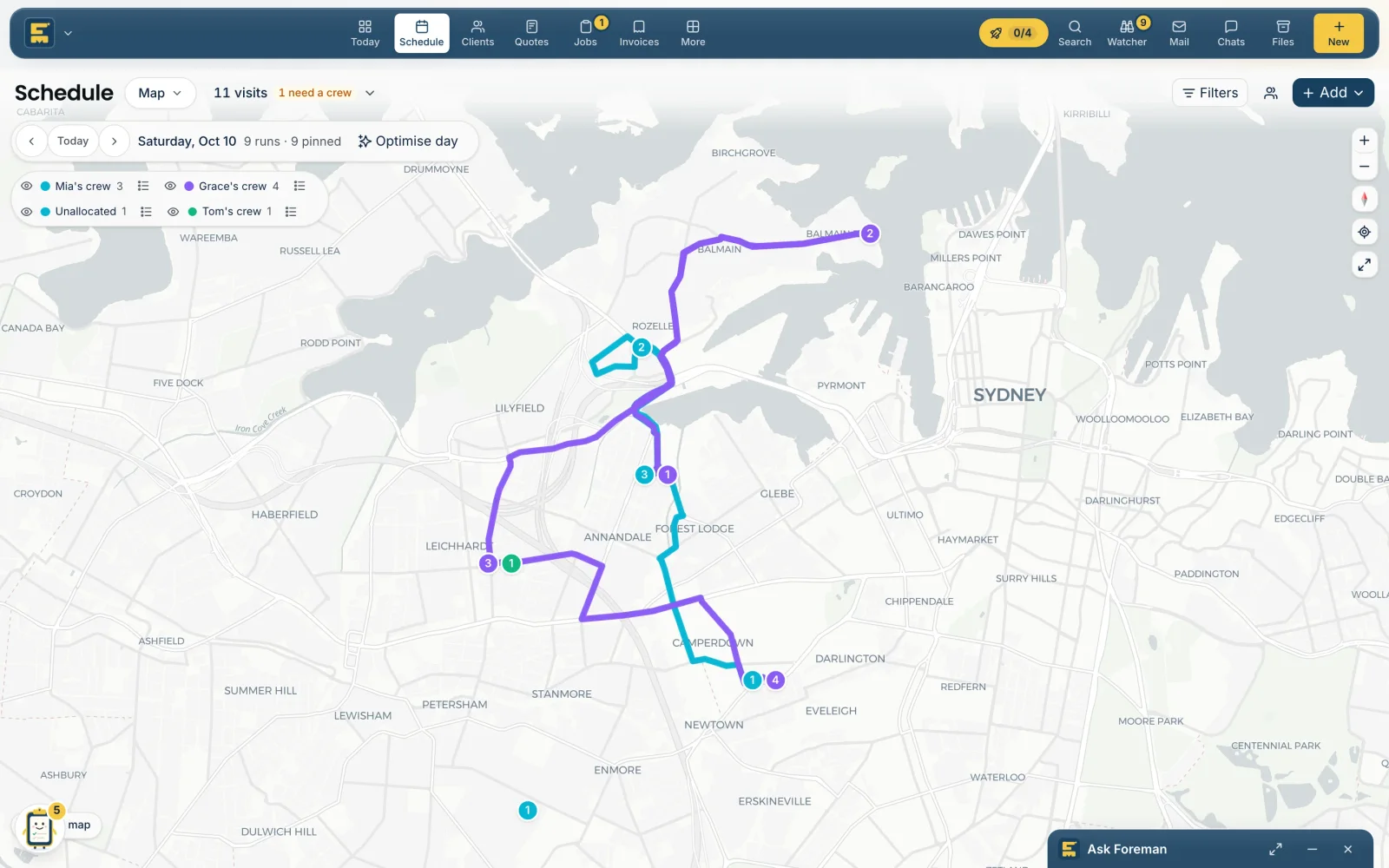
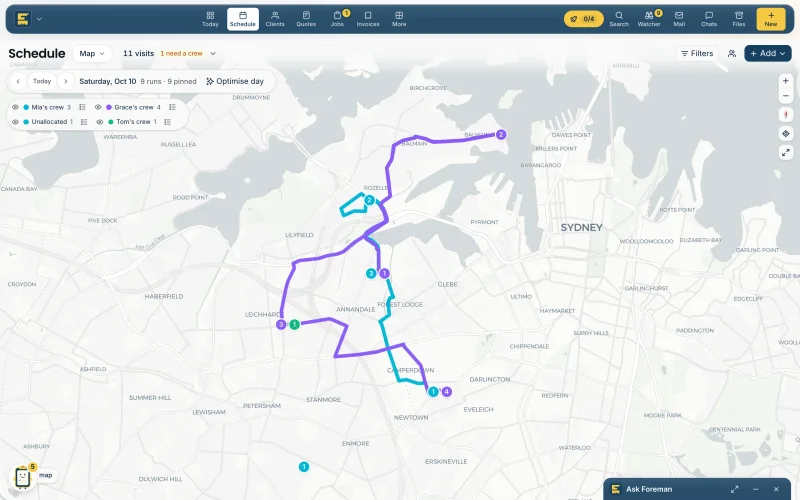
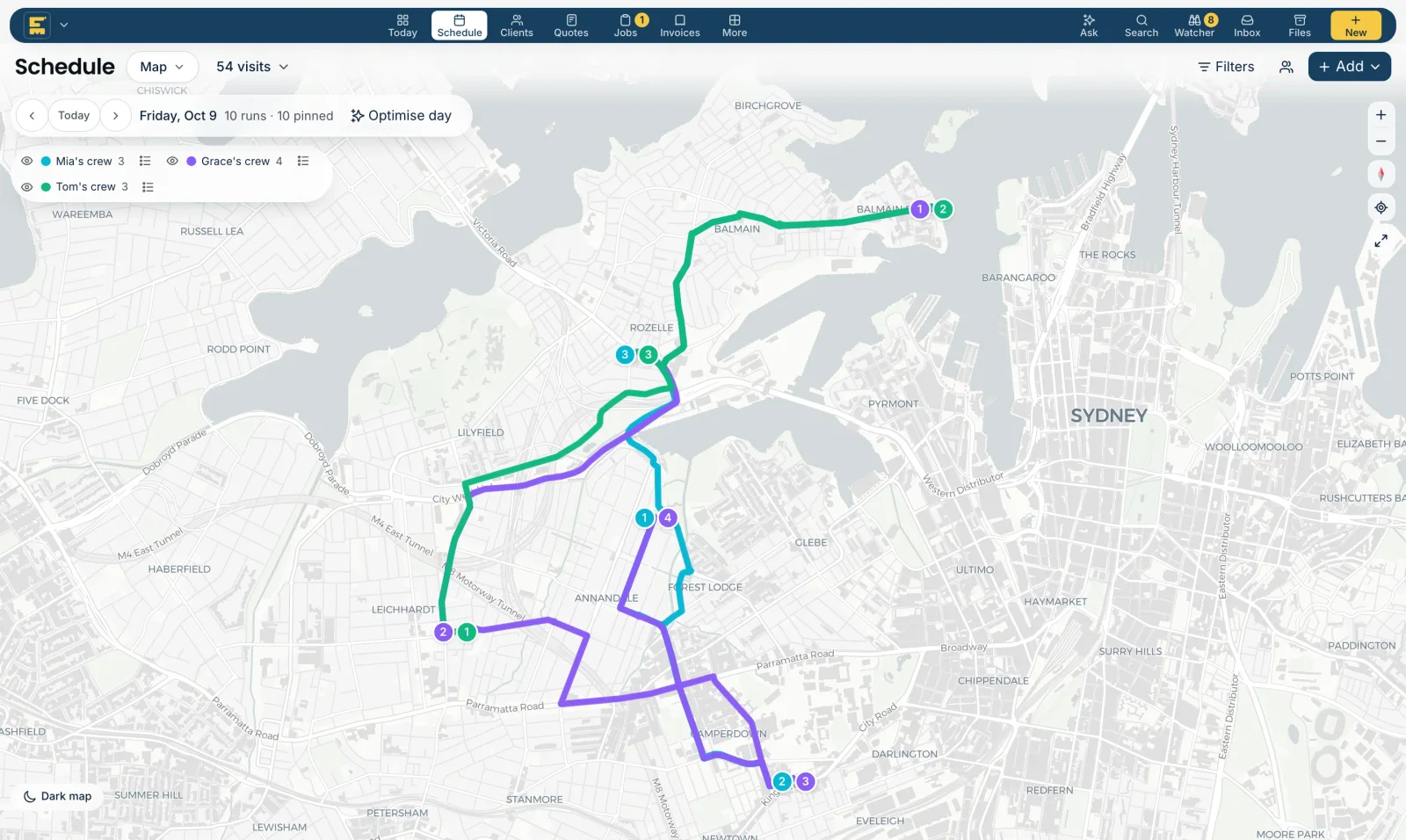
Accepted work goes to a crew. Optimise day shares the visits so each crew works one area, and the times update themselves.
Finished visits become invoices, and overdue ones get a polite reminder with the pay link. Each one asks first until you trust it.
One tap moves every crew's visits to the next good day at the same times, and each client gets a text. Changed your mind? Undo puts it all back.
Bring in your clients, price list and crew. Connect Xero or QuickBooks and your calendar. Foreman learns your prices and the way you write.
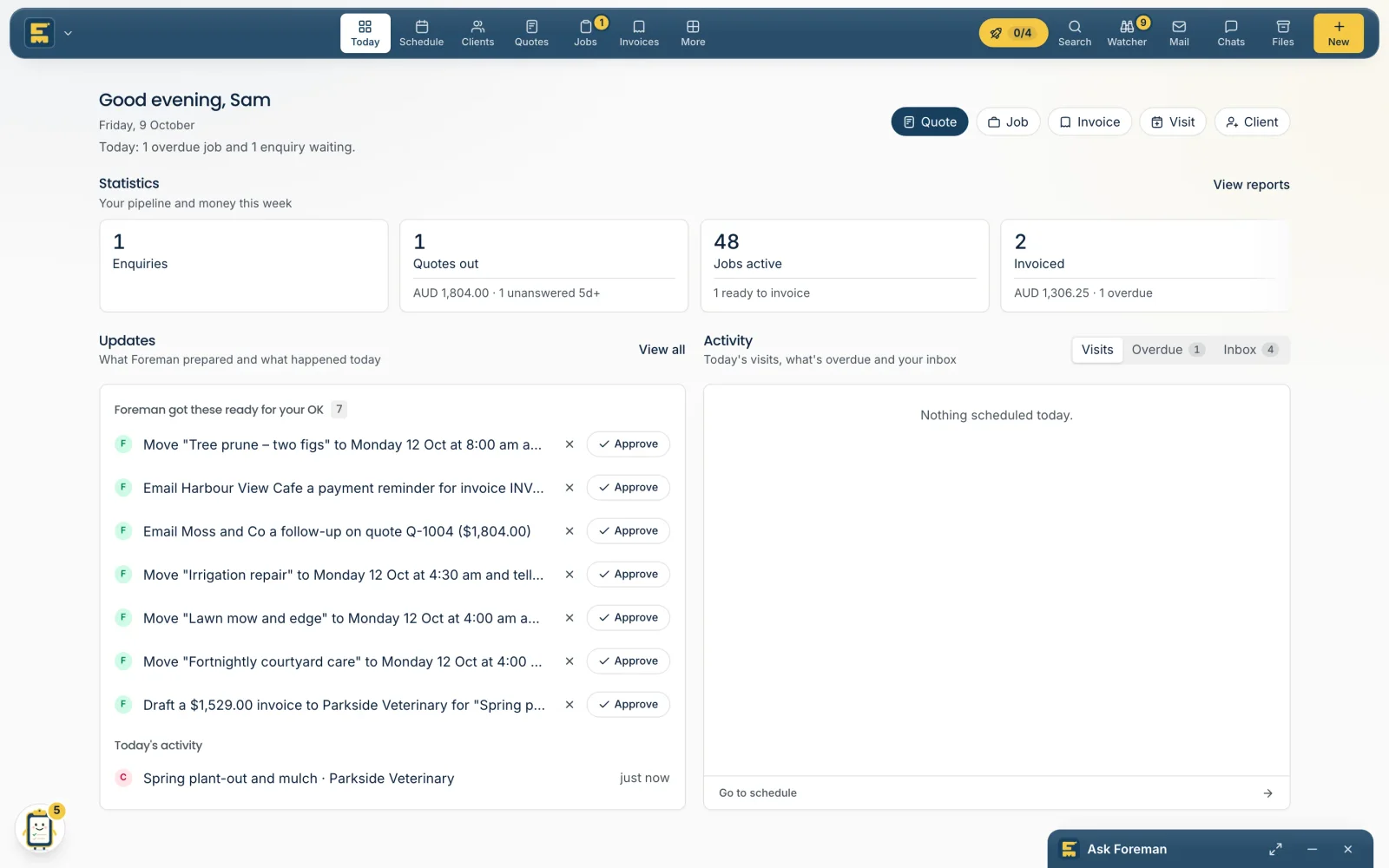
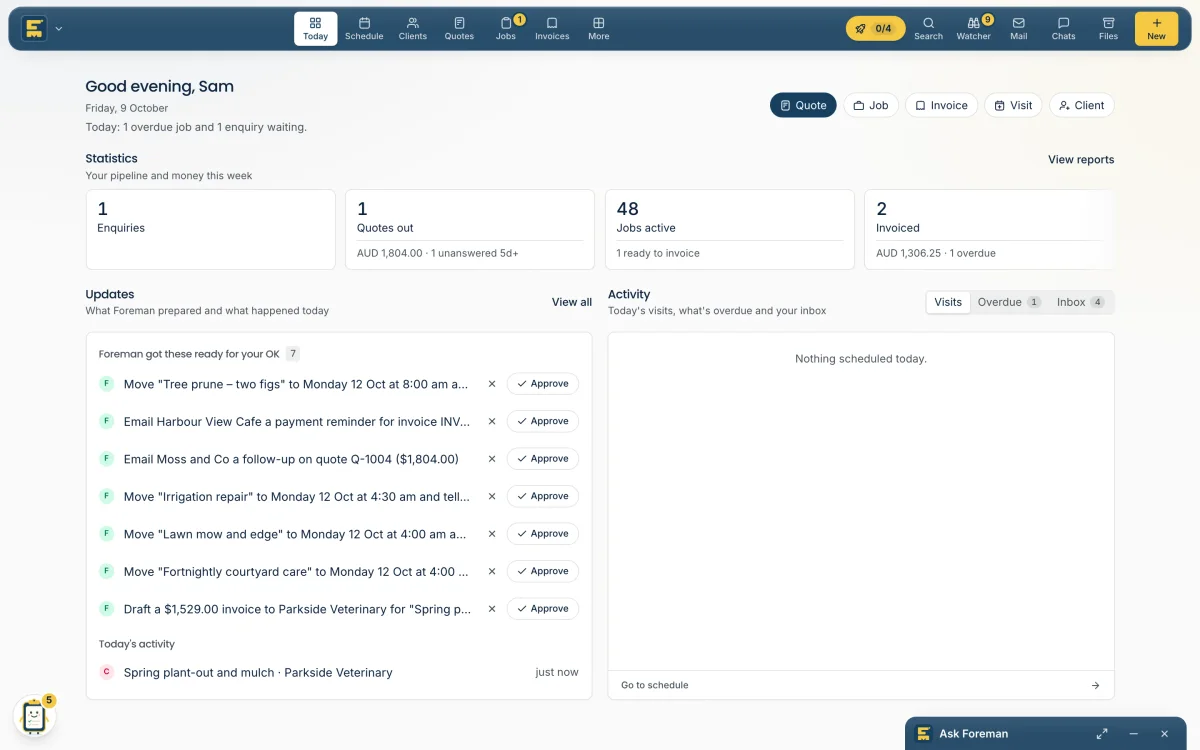
Replies, quotes, invoices for finished visits and reminders for overdue ones are drafted for you, and wait on Today for a yes.
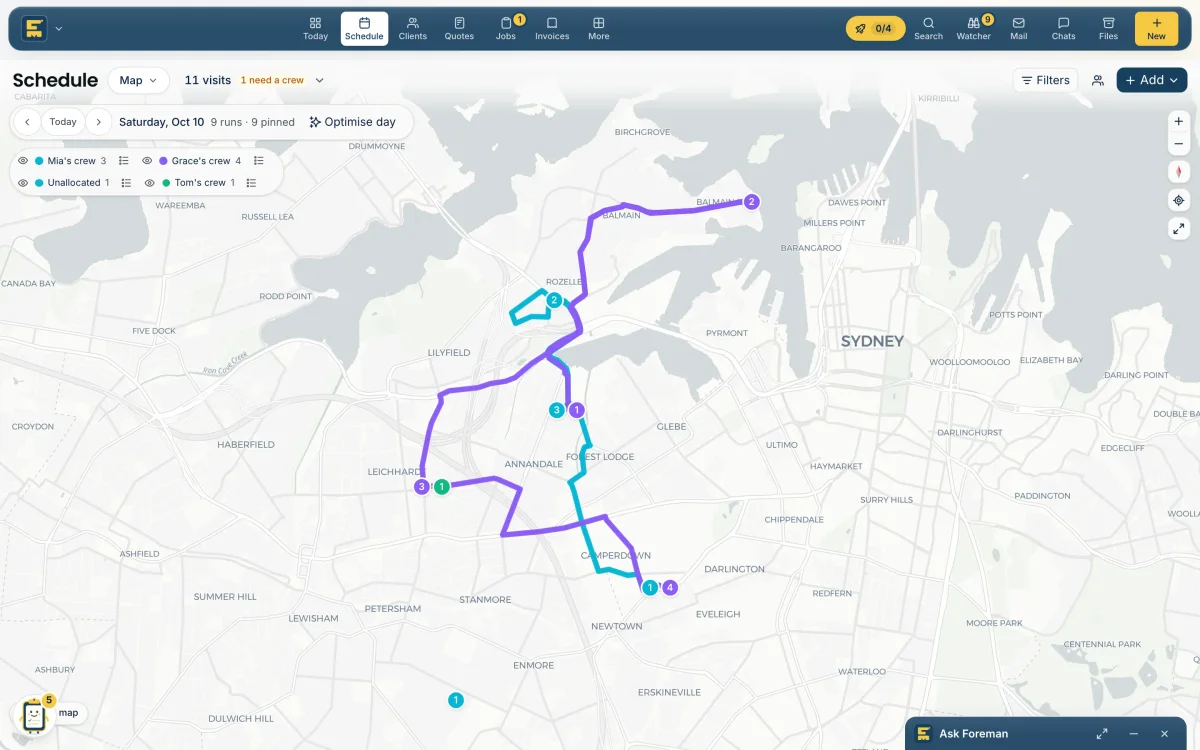
See every crew on one map, with the drive between stops. Hand Foreman the jobs it has earned; one undo puts any of them back to asking.
Built for the field, not the desk.
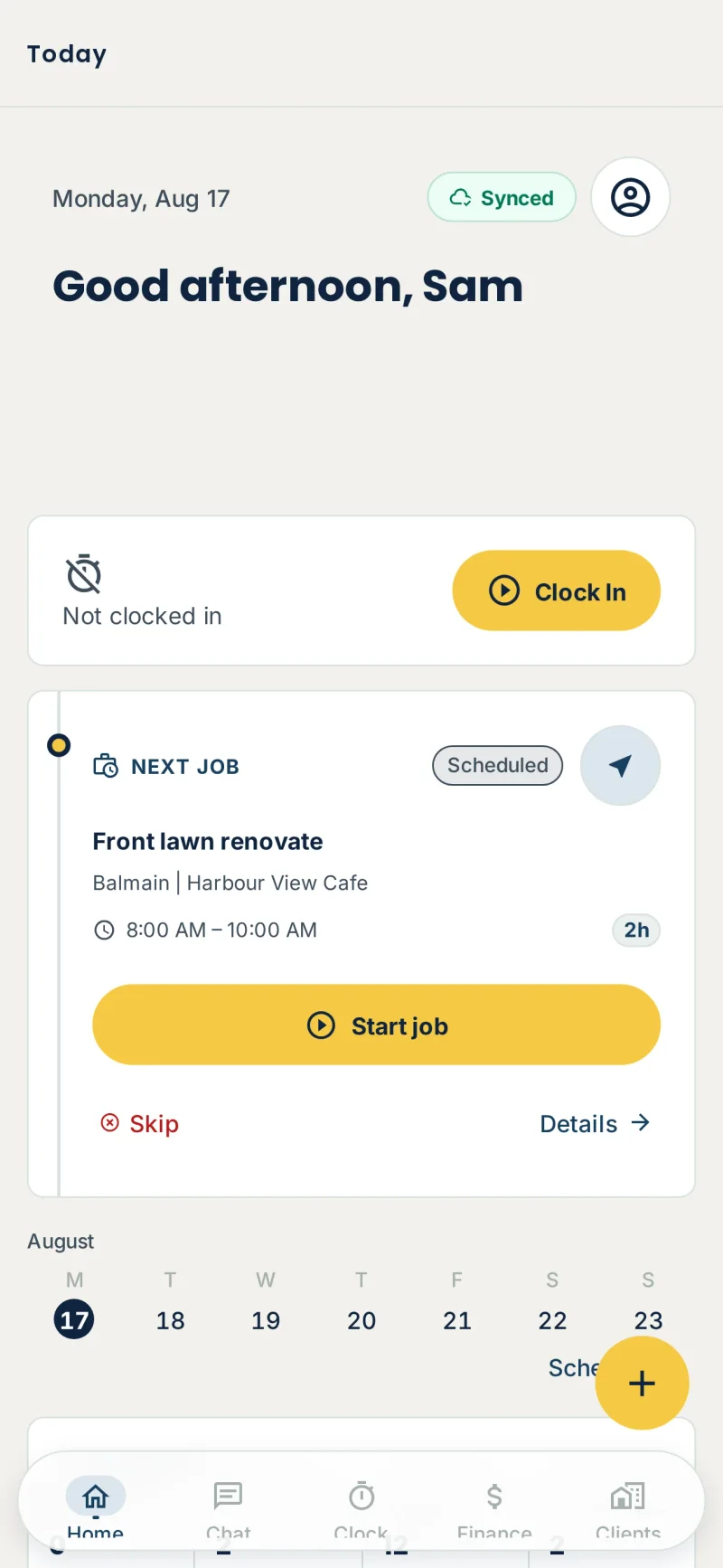
Runs in order, directions, job cards, photos and sign-off. Works without signal and catches up later.
Live vans, ticks as visits finish, and the drive between stops. Drag a visit to another crew in a second.
Who hasn't paid this month? What's on tomorrow? Answers come from your own records, with the records it used.
Try it yourself.
When two utes cross paths all day, that's fuel and an hour of labour gone. Press Optimise day: it runs the app's real optimiser, right here in your browser.
You check the new plan before anything moves.
ORG WATCH · BUILT INTO FOREMAN
Org Watch keeps checking your jobs, visits, quotes, invoices and enquiries in the background. When something needs a person, it lands in one list — Needs attention — with the facts and a suggested next step, so your team can sort it and move on.
Choose a step or play the walkthrough
Checks run in the background. A visit tomorrow has nobody assigned, so it appears in Needs attention under Act now.
Act now · 1
Try it on your own jobs. Org Watch is part of every Foreman workspace.
ANOTHER JOB CALLING?
Let the AI receptionist pick up, capture the enquiry and help arrange the next step while your hands are full.
Give it a go. Play the customer.
Live demo · No account needed · No real bookingsForeman AI Receptionist
Ace Property Services
YOUR BUSINESS, CLOSE TO HOME
Choose your business country to see the right currency and setup details.
Australian dollars, business details and GST settings for your quotes and invoices.
Xero payroll integration is available for Australian workspaces.
Xero · QuickBooks · Google Calendar · GmailROOM FOR THE WHOLE CREW
Pay for new job approvals, not your headcount.
Core tools, Org Watch and AI. Unlimited members.
60 approvals / month (50 new jobs + 10 free buffer)
Per workspace · billed monthly
10 GB storage · daily AI allowances apply
180 approvals / month (150 new jobs + 30 free buffer)
Per workspace · billed monthly
15 GB storage · daily AI allowances apply
300 approvals / month (250 new jobs + 50 free buffer)
Per workspace · billed monthly
25 GB storage · daily AI allowances apply
1,200 approvals / month (1,000 new jobs + 200 free buffer)
Per workspace · billed monthly
100 GB storage · daily AI allowances apply
14 days free · No card required · 50 approved jobs during trial. Prices per workspace, excluding applicable taxes. Extra visits on the same approved job do not count again.
Compare all allowances and plansAny questions?
Try Foreman for 14 days with unlimited members and up to 50 approved jobs. No card is required and there is no automatic charge. You can choose your plan when you sign up.
No. Every plan includes unlimited members, in the office and in the field. Each workspace has its own subscription. Starter includes 50 approved jobs plus a free 10-job buffer, Standard 150 plus 30, Growth 250 plus 50, and Business 1,000 plus 200 per month. Storage and AI allowances vary by plan. Larger operations can contact us for custom volume.
It drafts itemised quotes from an enquiry, photos or a voice note; replies to enquiries in your tone; answers the phone as an AI receptionist; spots finished jobs nobody invoiced and drafts the invoice; prepares follow-ups for quiet quotes and overdue invoices; and answers questions like "who hasn't paid this month?" from your own records. AI is included on every plan, subject to fair use.
Foreman keeps an index of your own jobs, quotes, invoices, emails and clients. When you ask a question or it drafts something, it looks up the real records first and shows you which ones it used. Your records only answer questions inside your own workspace.
Nothing goes to a client until you approve it. Once a type of task has been approved enough times in a row, you can choose to let Foreman do it on its own, and one undo sends it back to asking. Prices come from your price list and past jobs, and totals and tax are calculated by code, not by the AI.
Yes. Connect Xero or QuickBooks to sync invoices and accounting information. Google Calendar and Gmail connections are available too. You choose which accounts to connect from Connect in the app.
Yes. The mobile app gives field staff their runs, site details, notes and photos. They can clock in, record materials and complete work from their phone, with access based on their role.
Yes. Manage your subscription from Settings → Billing. Cancel before your next renewal to stop the next charge; access continues until the end of your paid billing period.
Something else? Talk to us